
Everything in Nimbigo, and what's next
Each module below says plainly whether it is in the app today or still to come. Screens are from the current build with a fictional company.
Jobs, drawings and documents
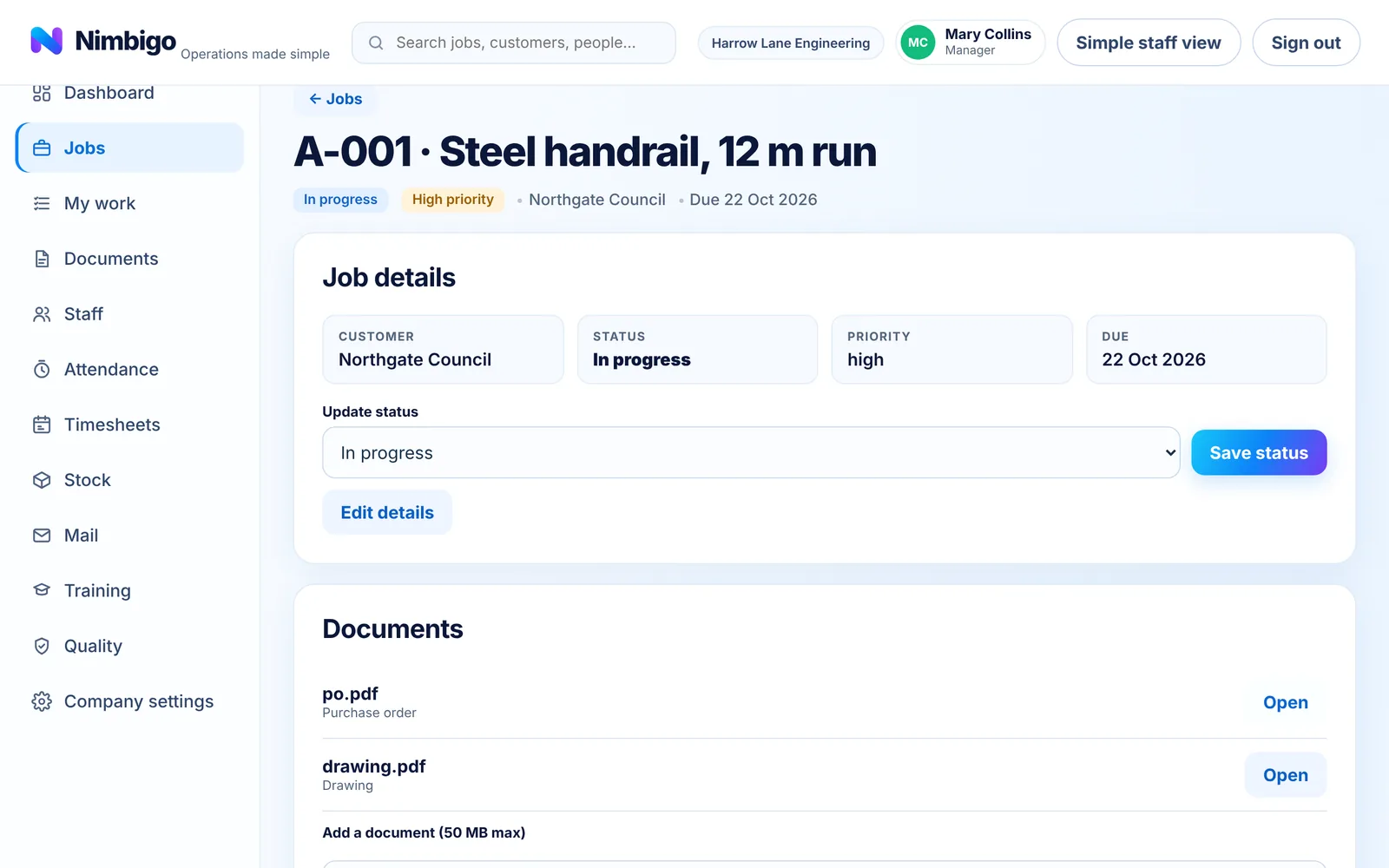
Every job in one place, from new to delivered, with the people, paperwork and time that belong to it.
- Status workflow: new, in progress, on hold, ready for delivery, completed, delivered
- Customer, priority and due date, with overdue jobs flagged
- Drawings and documents on the job, with revisions issued to the shop floor
- Import a ZIP of job files; each file is checked and approved by a person before it is filed
- Assign staff to jobs; jobs can require a qualification before anyone is assigned
- Delivery records, blocked while a major quality issue is open
Staff, onboarding and the phone app
Invite your team, bring new starters on properly, and give everyone a screen that suits how they work.
- Roles: owner, admin, manager, supervisor, staff and read-only viewer
- Time-limited invitation links; each person creates their own sign-in (sending invitations by email is coming)
- Onboarding packs: documents to read and sign, training to evidence, checked by management
- Access is granted as a separate step after the pack is approved
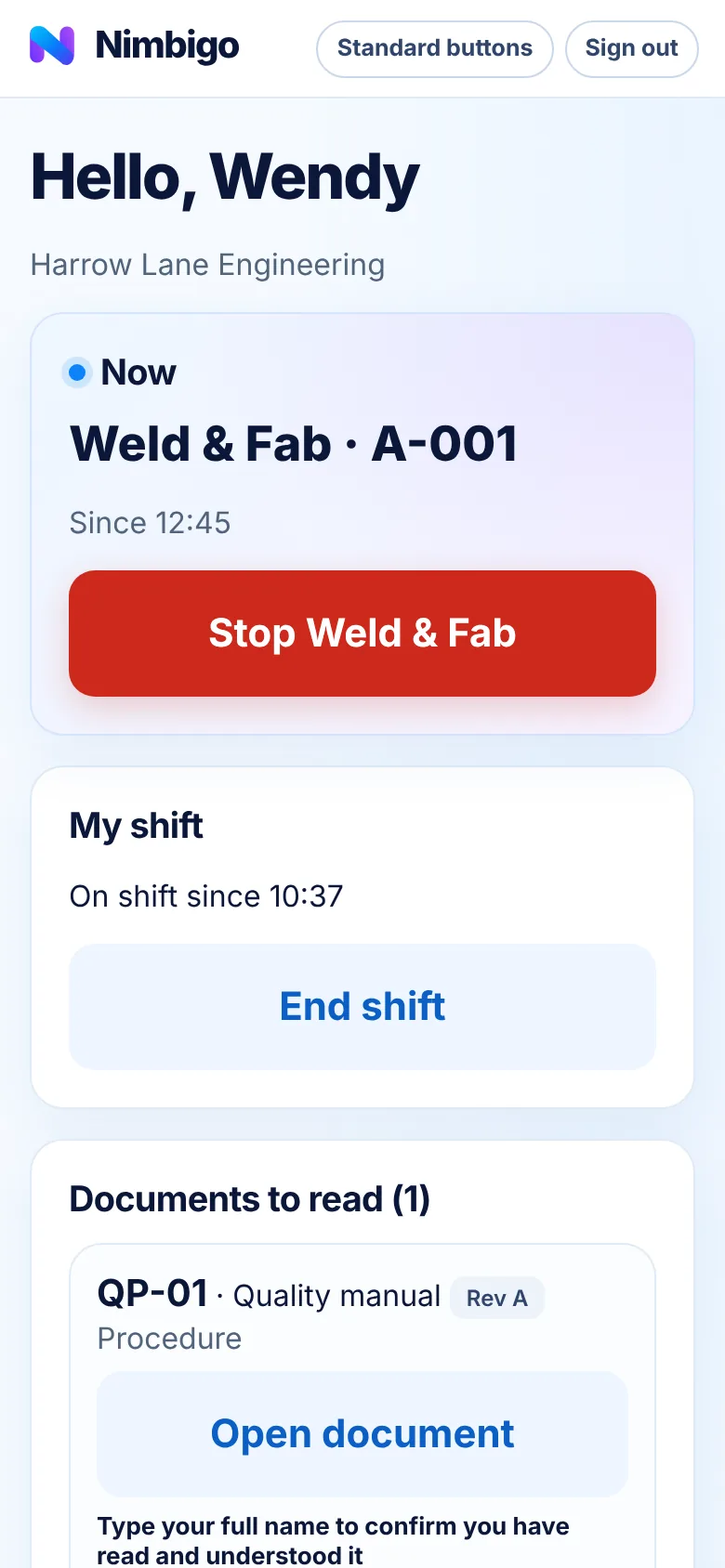
- Staff phone screens: my jobs, drawings, clock on and off, report a problem, sign documents
- Gloves-on mode with big buttons, chosen per person or for the whole company
Clocking, live board and timesheets
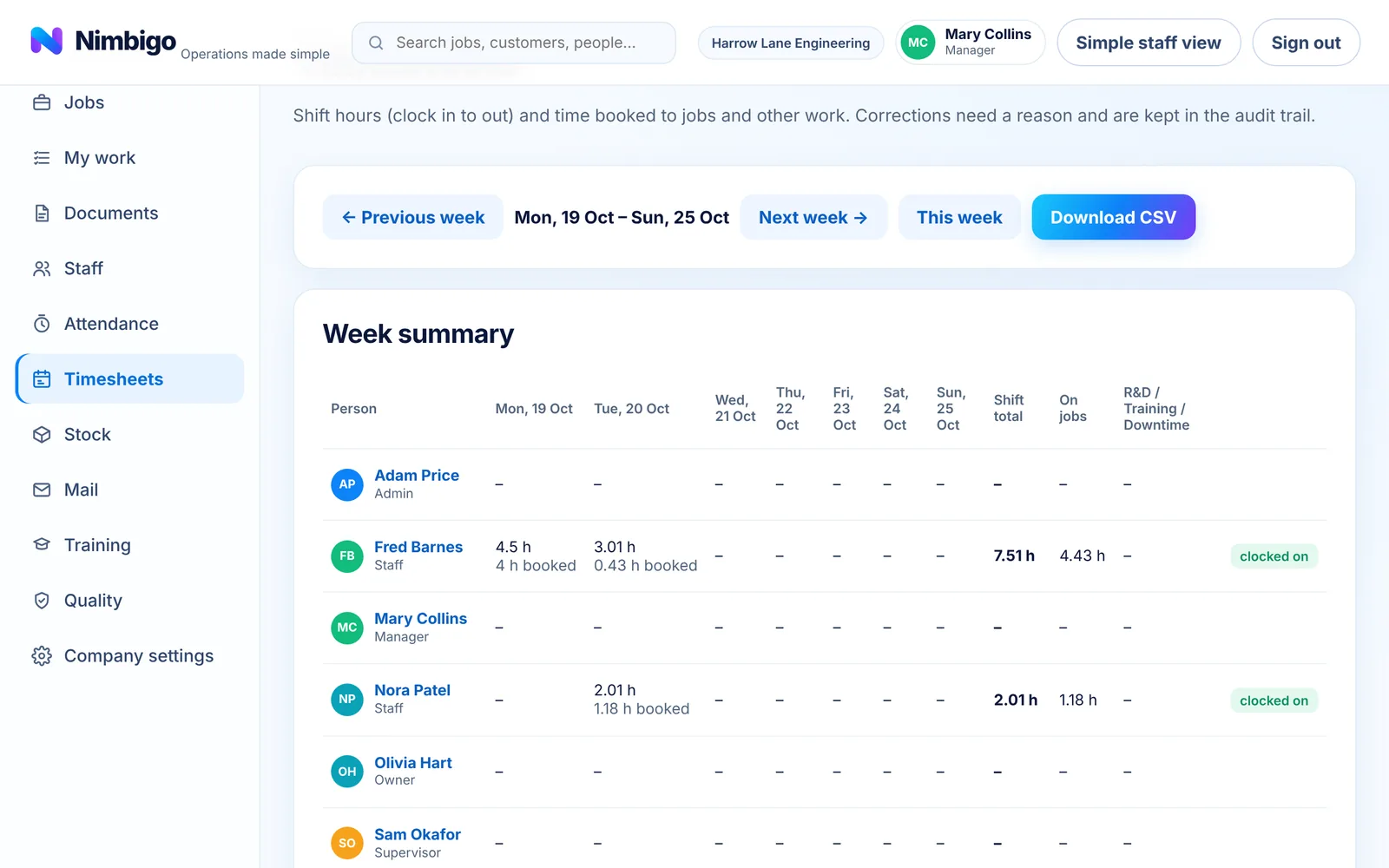
Staff book time to the job and activity they are on. The office sees it live and gets clean timesheets at the end of the week.
- Shift clock-in and clock-out, plus time booked to jobs by activity (cut / machine, weld & fab, finishing, rework, inspection)
- Time outside jobs: R&D, training and downtime
- Live board: who is on shift, what they are doing and for how long
- Jobs due in the next seven days with labour hours, team, inspection and quality status
- Weekly timesheets by person; corrections need a reason and are kept in the audit trail
- CSV download for payroll; open the workplace or close it to stop new work starting
Training and qualifications
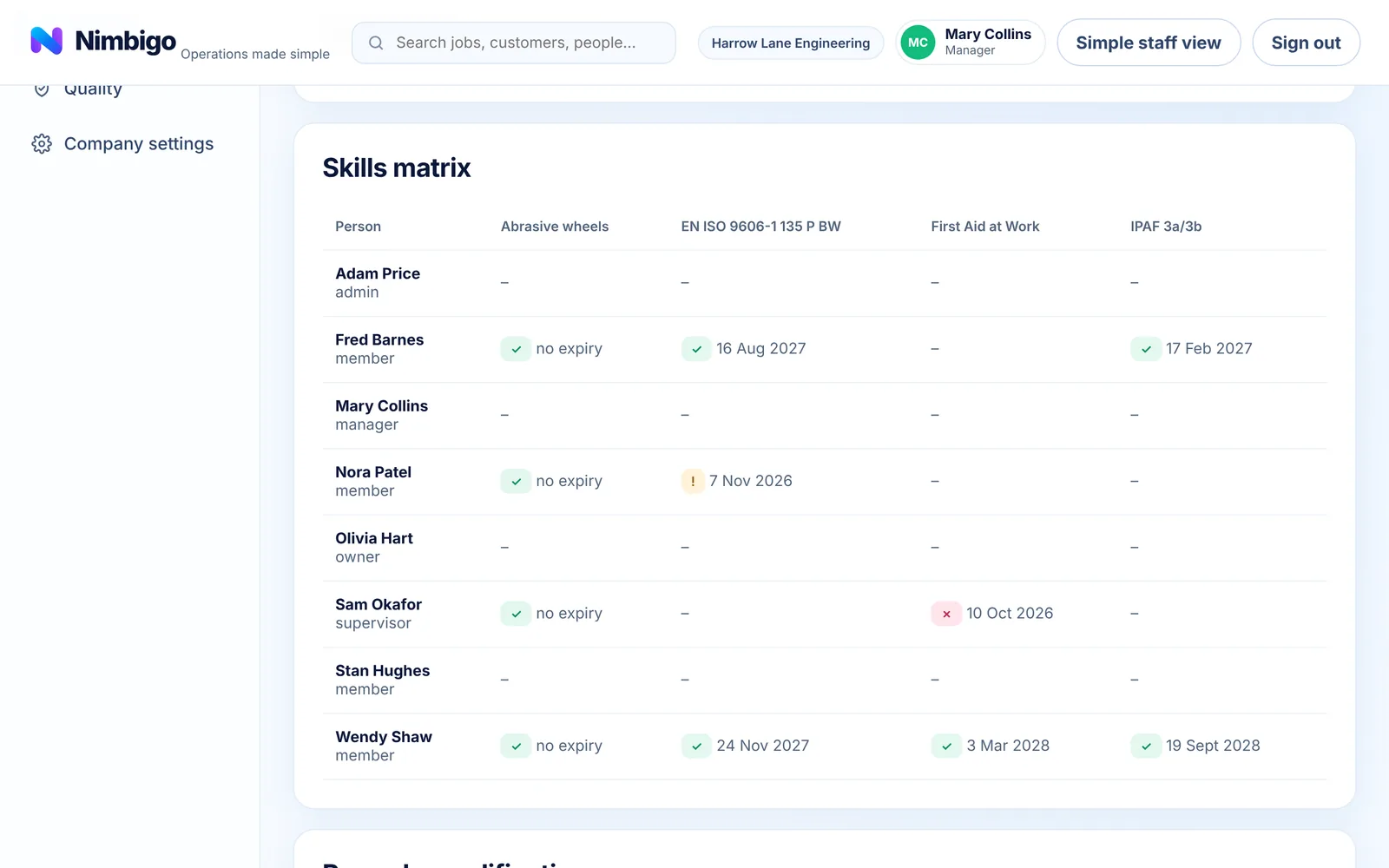
Know who holds which ticket, what is about to expire and who can safely be put on a job.
- Skills matrix: green valid, amber expiring within 30 days, red expired
- Certificates stored against each record
- Staff can submit a qualification; management verify or reject it
- Expiry warnings on the dashboard
- Jobs can list required qualifications; assigning someone without them needs a recorded reason
Stock and purchasing
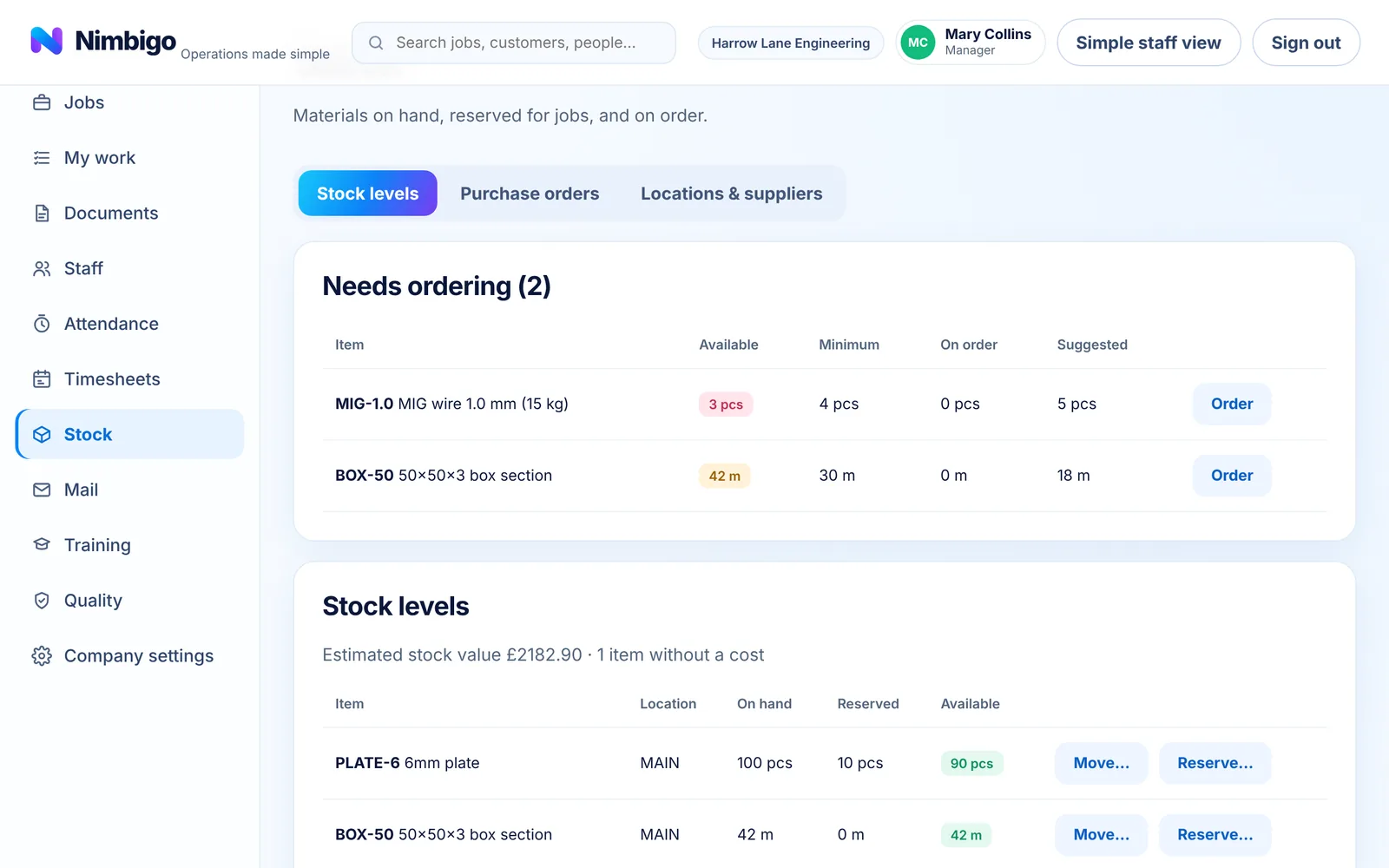
See what is on the shelf, what is promised to jobs and what is on its way.
- Stock items by location, with minimum and reorder levels
- Reserve material against jobs; available stock accounts for reservations
- "Needs ordering" list with a suggested quantity
- Suppliers, purchase orders and goods received
- Every stock movement recorded
- Costs and stock value visible to management only
Quality and controlled documents
Practical tools for running to ISO 9001 without a binder in every office.
- Inspections recorded against jobs, pass or fail
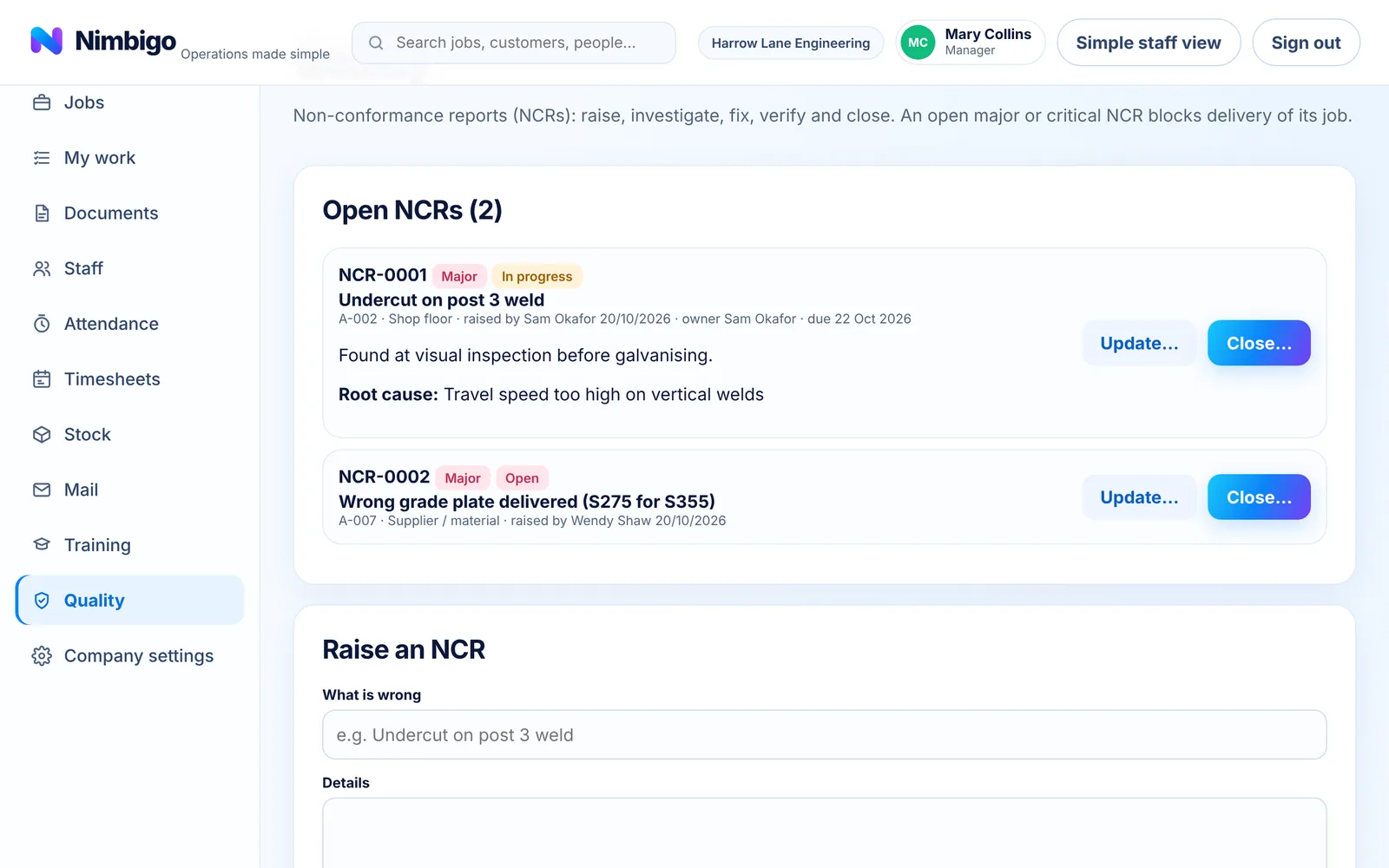
- Non-conformance reports (NCRs) raised from the floor, an inspection or a customer complaint
- Owner, due date, root cause, corrective action, then verified and closed by management
- An open major or critical NCR blocks delivery of its job
- Controlled documents: each revision approved by someone other than the uploader, then issued
- Staff read and sign the current revision on their phone; a new revision asks everyone to sign again
Your data stays yours
Separate by company
Every record belongs to one company. Database rules stop anyone seeing another company's data; this is tested on every change.
The right access for each role
Staff see their own work. Costs, timesheets and approvals are limited to management.
An audit trail
Status changes, corrections, approvals and signatures are recorded with who and when.
Original files kept
Uploaded documents are stored privately with a fingerprint, so a signature points to the exact version read.
Coming next and planned
Not available yet. Listed so you can see where Nimbigo is heading.
Your company's own system
Your logo, colours and web address on every screen; staff join from a poster in the workshop.
Scheduling board
Drag-and-drop planning of jobs and people across the week.
Job costing and reports
Labour and materials against each job, and reports across jobs.
Equipment and maintenance
A register of machines and tools with inspection and service dates.
Shared workshop tablet
Staff tap their name and enter a PIN, with no email needed.
Nimbigo assistant
Ask about your business in plain English.